
The decision this guide helps you make
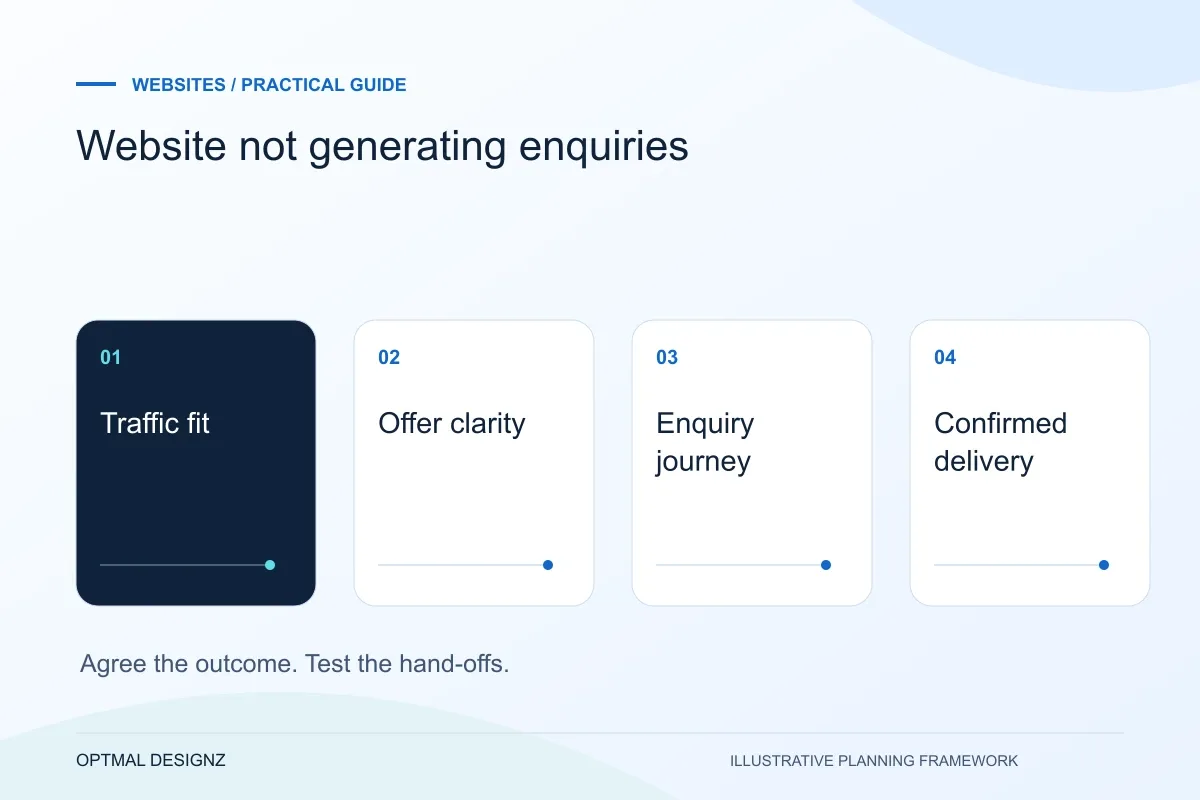
A website can receive visits without generating enquiries if the traffic is irrelevant, the offer is unclear or the enquiry journey fails. Check those causes in sequence before assuming the answer is a visual redesign.
Investigate traffic relevance, service clarity, contact journeys, form delivery and measurement before redesigning a website that receives few enquiries.
Review query intent, explain the offer and its fit, test the form delivery and confirmation, then compare relevant visits with completed enquiries. Fix the first verified failure rather than changing every page at once.
A practical example to test the choice
A service page may attract students looking for free examples while offering a paid development project. Another may attract suitable buyers but hide the contact route on mobile. Those problems need different fixes.
This is an illustrative planning scenario, not a claim about a completed client project. Use your own records and operating rules to confirm whether the approach fits.
Check whether the visitors match the offer
Start with the pages receiving visits and the questions that brought people there. A visitor reading a general definition may have no immediate buying need. Compare service-page visits, useful search queries and actual enquiry quality before judging the entire website from a single conversion percentage.
Look at the intended market and the offer on the landing page. If a page attracts students seeking an explanation while the business sells a specialist implementation, additional visits may not create better leads. The content needs a relevant next step, not merely a larger button.
Define the Saudi customer journey before the page list
A Saudi business website should make the next customer task clear: compare a service, find a product, request a quotation or complete an order. A Riyadh professional-services firm and a Jeddah trade supplier need different information and enquiry paths. Use accurate service coverage and genuine examples rather than adding near-identical city pages.
Where customers need Arabic and English, plan translation, right-to-left layouts, paired navigation and editorial ownership together. For online selling, confirm SAR presentation, address fields, delivery coverage and the interfaces supported by the actual merchant and logistics accounts.
Follow the enquiry journey yourself
Read the page as someone unfamiliar with the company. Can you understand the service, who it suits, the problem it addresses and what to share next? Genuine project evidence can help where permission exists, but invented testimonials or results would undermine trust rather than solve a conversion problem.
Test the primary action on a phone and using a keyboard. Check whether required fields are proportionate and whether a failed submission retains the message. Then confirm the email or CRM record reaches its destination. A click, an opened form and a delivered enquiry are different events.
Measure the right outcome before changing everything
Google Analytics describes generate_lead as a recommended event for lead generation. For a website form, define when that event should occur and test it against a confirmed successful submission. Analytics is still a measurement system; blocked scripts, consent choices and configuration can affect what it records.
Make one well-defined improvement at a time, such as clarifying the service opening or removing an unnecessary field. Record the period, traffic mix and number of meaningful enquiries. Small volumes can fluctuate, so avoid attributing a short-term change to a headline without enough evidence.
Create a journey evidence log
Use one row for each important entry page and record the intended audience, main action and observed failure. Separate evidence from a suspected explanation: an unanswered form is evidence, while a claim that visitors dislike a colour needs investigation. Add the baseline and the date of any change. When volumes are small, record raw meaningful enquiries alongside percentages so a single submission does not look like a dependable trend. This log helps choose a targeted next action rather than treating every quiet week as a reason to rebuild.
| Journey point | What to verify |
|---|---|
| Arrival | Search or referral intent matches the offer |
| Action | A visitor can find and complete the next step |
| Delivery | The enquiry reaches its operational destination |
Worked example: a planning exercise
Hypothetical example: a site records many contact-button clicks but almost no emails. Testing reveals that its button opens a local email app rather than submitting the form. The immediate priority is a reliable delivery flow and an honest success message. Changing photography or purchasing more traffic would not address that specific failure.
Your practical checklist
Use these checks to turn the discussion into decisions that can be assigned, tested and reviewed.
- Compare traffic intent with the service and market you sell to.
- Check the landing page explains fit and a specific next step.
- Test the complete form journey on mobile and keyboard.
- Confirm receipt in the real destination, not just the browser.
- Measure successful leads separately from clicks and form starts.
- Record changes and review enquiry quality over a useful period.
Apply the checklist to your Saudi project
For a Saudi brief, define which customer tasks need Arabic, English or both, including right-to-left navigation, dates and form confirmations. Confirm genuine service coverage and, for commerce, the selected payment, delivery and finance interfaces.
Use the example above to discuss website not generating enquiries with the people who will use or approve the result. Ask a supplier to demonstrate the expected output, explain a failure case and identify what is excluded from the proposal.
Related services and next steps
Sources and further reading
Check source guidance directly, especially where platform details or requirements can change.